

In short: No single symptom proves your phone is hacked — a combination does: the camera or mic indicator lights up for no reason, the device runs warm and drains fast while idle, data use spikes inexplicably, and unfamiliar apps or profiles appear. Any one sign can be a glitch or a heavy app. Check permissions, your installed apps, and configuration profiles; if it's confirmed, disconnect from the network, change passwords from a clean device, and do a factory reset if needed. A VPN encrypts your traffic on untrusted networks, but it will not find or remove spyware already installed on the phone.
Can a smartphone really be hacked without you noticing
Yes, and it's usually not a hoodie-clad hacker but an everyday scenario. Consumer phones face three distinct threat categories, and telling them apart matters because their signs and checks differ.
- Spyware — software that quietly harvests data: messages, location, call history. It often masquerades as a system or “service” app.
- Stalkerware — a subset of spyware installed by someone close to you with physical access to an unlocked phone. It monitors a partner or family member and almost always hides its icon.
- Network interception — when data is stolen not from the phone but from the connection: on open or spoofed Wi-Fi an attacker can see unencrypted traffic. That's closer to a man-in-the-middle attack than to classic device hacking.
The distinction matters because a VPN genuinely protects against network interception, but it does nothing against a program already sitting on the phone. Below, we cover how to tell them apart by symptom.
Clear signs your phone is being watched
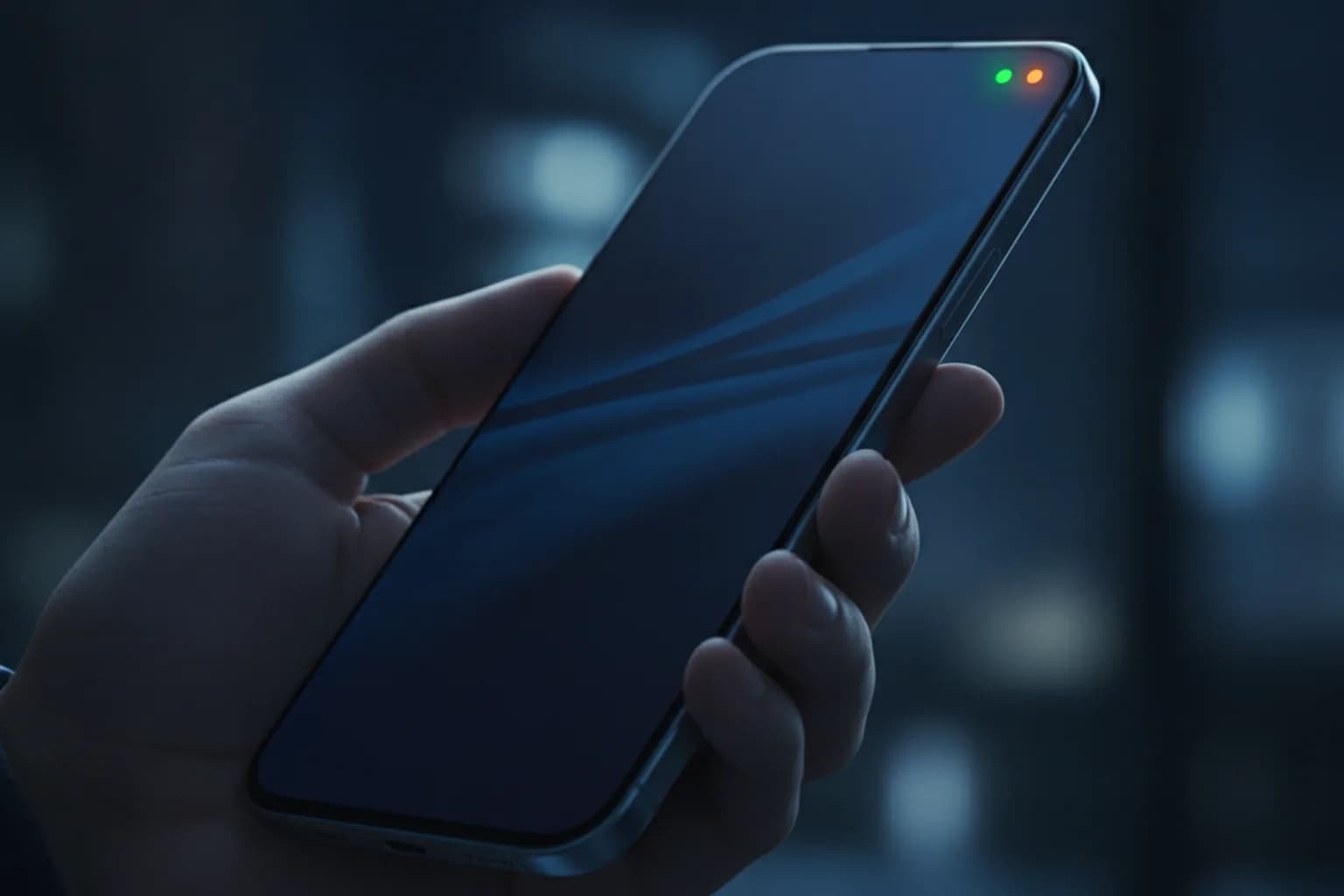
Start with the most visible clue — the camera and microphone access indicators. On iPhone (iOS 14 and later) and Android (12 and later), a dot appears near the top of the screen: orange means the mic is active, green means the camera. If it flashes when you're not on a call, filming, or using voice input, it's worth finding which app is touching the sensors.
The remaining symptoms are weaker alone but add up together:
- Heat and fast drain while idle. The phone is warm and loses charge although it's sitting unused — a background app may be transmitting constantly.
- Unexplained data spikes. Apps you barely use top your mobile-data stats, or the “System” line has jumped sharply.
- Unfamiliar apps and icons. Icons you didn't install, or software that vanished from the home screen yet runs in the background.
- Noise or echo on calls. Odd clicks and voice delay can hint at audio interception (though often it's just a bad line).
- Pop-ups and redirects. Ads over the system UI and unprompted jumps to unknown sites are a classic trace of aggressive adware and malware.
- Account oddities. Sign-in alerts from unknown devices, dropped sessions, or verification codes you never requested.
One caveat: overheating and fast drain also happen with a worn battery, and data spikes with an app that just updated. So symptoms are a reason to check, not a verdict.
Which threat is it, and does a VPN help
To avoid confusing “phone hacked” with “network intercepted,” keep a simple matrix in mind. It also shows where a VPN actually helps and where it's useless.
| Threat | How it arrives | What's at risk | Does a VPN help |
|---|---|---|---|
| Spyware / stalkerware | Physical access, fake app | Calls, messages, location, files | No — a VPN can't find or remove an on-device program |
| Interception on open/spoofed Wi-Fi | Connecting to someone else's network | Passwords, sessions, unencrypted traffic | Yes — it encrypts the link between phone and server |
| IP tracking and profiling | Ordinary web browsing | Real IP, approximate location | Partly — hides your IP, but not cookies or account logins |
| Phishing and malicious links | SMS, messengers, email | Credentials, 2FA codes | No — needs your attention and two-factor auth |
The takeaway is narrow: a VPN is a tool against network threats and IP tracking, while checking permissions, removing software, and resetting handle a program physically on the phone. These are two different layers of defense, and neither replaces the other.
Where to look: iPhone and Android differ
Your check depends on the platform, because the surveillance mechanisms differ.
Android
Manually installed stalkerware is more common here. Review the full app list (including system apps), recently installed packages, apps with “Device admin” rights, and those with Accessibility access — that's exactly what spyware uses to read your screen and notifications. Check whether installation from unknown sources is enabled.
iPhone
iOS sandboxes apps more strictly, so mass spying is rarer, but it's possible: via configuration profiles and MDM, via access to your Apple ID from another device, or on a jailbroken phone. Check the profiles and device-management section, the device list in your Apple ID, and any suspicious configurations you didn't add.
How to check your phone step by step
Run the check in order — that filters out false alarms and finds the real cause.
- Open battery and mobile-data stats, sort by usage, and spot heavy apps you don't use.
- Review the full app list and remove anything unfamiliar; on Android also check “Device admin” and “Accessibility” rights.
- Review camera, microphone, and location permissions — revoke them from apps that don't need them. More in our breakdown of malicious apps that abuse permissions.
- On iPhone open profiles and device management; on Android check installed certificates. Remove anything you didn't add yourself.
- Open your account security settings (Apple ID, Google) and review active devices and sessions.
- Update the OS and apps — many vulnerabilities are closed by patches.
- Scan the phone with a reputable antivirus or a dedicated spyware scanner.
Note: some stalkerware is flagged by antivirus as “not-a-virus” (a potentially unwanted program) rather than an outright threat — don't ignore those warnings.
What to do if the hack is confirmed
If the signs line up and suspicious software is found, work through the checklist and don't delay:
- Disconnect from the internet and mobile data — with no link, the program can't send what it collected.
- Change key passwords from another, known-clean device — email and Apple/Google accounts first, then banks and messengers.
- Turn on two-factor authentication everywhere it isn't yet — it blocks access even if a password leaked. See what a VPN does and doesn't protect against.
- Remove the apps you found, stripping their admin and accessibility rights first if the system won't let you uninstall directly.
- Do a factory reset if you're unsure you cleaned everything; restore from a backup made before the infection, not a fresh one.
- Check email for silent forwarding rules — attackers often set up hidden mail forwarding.
- If it's stalkerware from someone close to you, weigh your safety: abruptly deleting it can reveal that you know. If you feel threatened, seek help and use a different device to reach out.
How to lower the risk of being hacked again
Cleaning the phone is half the job; the point is not to get reinfected. Basic hygiene covers most scenarios.
- Install apps only from official stores and don't let others unlock your phone; stalkerware nearly always needs physical access to an unlocked device.
- Set a strong passcode and biometrics, and share your PIN with no one — that's the main barrier against manual surveillance installs.
- Update your OS and apps regularly: patches close the holes used for remote infection.
- Don't tap links in unexpected texts and messages — that's how malicious apps spread, sometimes disguised even as a VPN.
- On open Wi-Fi (cafes, airports, hotels) turn on a VPN so the connection is encrypted. On a phone it's easy — set up a VPN on iPhone or Android and keep it on in untrusted networks.
Here a VPN closes one specific layer — traffic interception on an untrusted network and IP tracking; combined with clean app installs and 2FA, it noticeably narrows the attack surface.
Frequently asked questions
Can a phone be hacked without physical access?
Yes. Remotely it's done via phishing links, vulnerabilities in the OS and apps, and access to your cloud account (Apple ID, Google) from another device. Stalkerware, by contrast, usually needs an unlocked phone in hand.
Does a factory reset help?
A full reset removes most spyware. But if you restore from a backup made after the infection, the malware can return. Restore from a clean backup and change your passwords again.
Why doesn't antivirus always catch surveillance?
Many stalkerware apps are technically legal and are flagged as “potentially unwanted” rather than a virus. So take “not-a-virus” warnings seriously and verify by hand.
Can a VPN protect against phone eavesdropping?
A VPN encrypts network traffic and hides your IP, so it protects against interception on other networks. But it doesn't block a program recording audio or the screen right on the device — that needs an app check and a reset.
Do iPhones get infected, or is it only an Android problem?
iPhones get infected less often thanks to strict app isolation, but they're not fully immune: configuration profiles, Apple ID access, and jailbreaking all carry risk. iPhones need checking too.
What should I do first if a hack is confirmed?
Disconnect the phone from the network and, from another clean device, change passwords for your email and main accounts while enabling two-factor authentication. That stops data leaking faster than wrestling with the infected phone itself.