

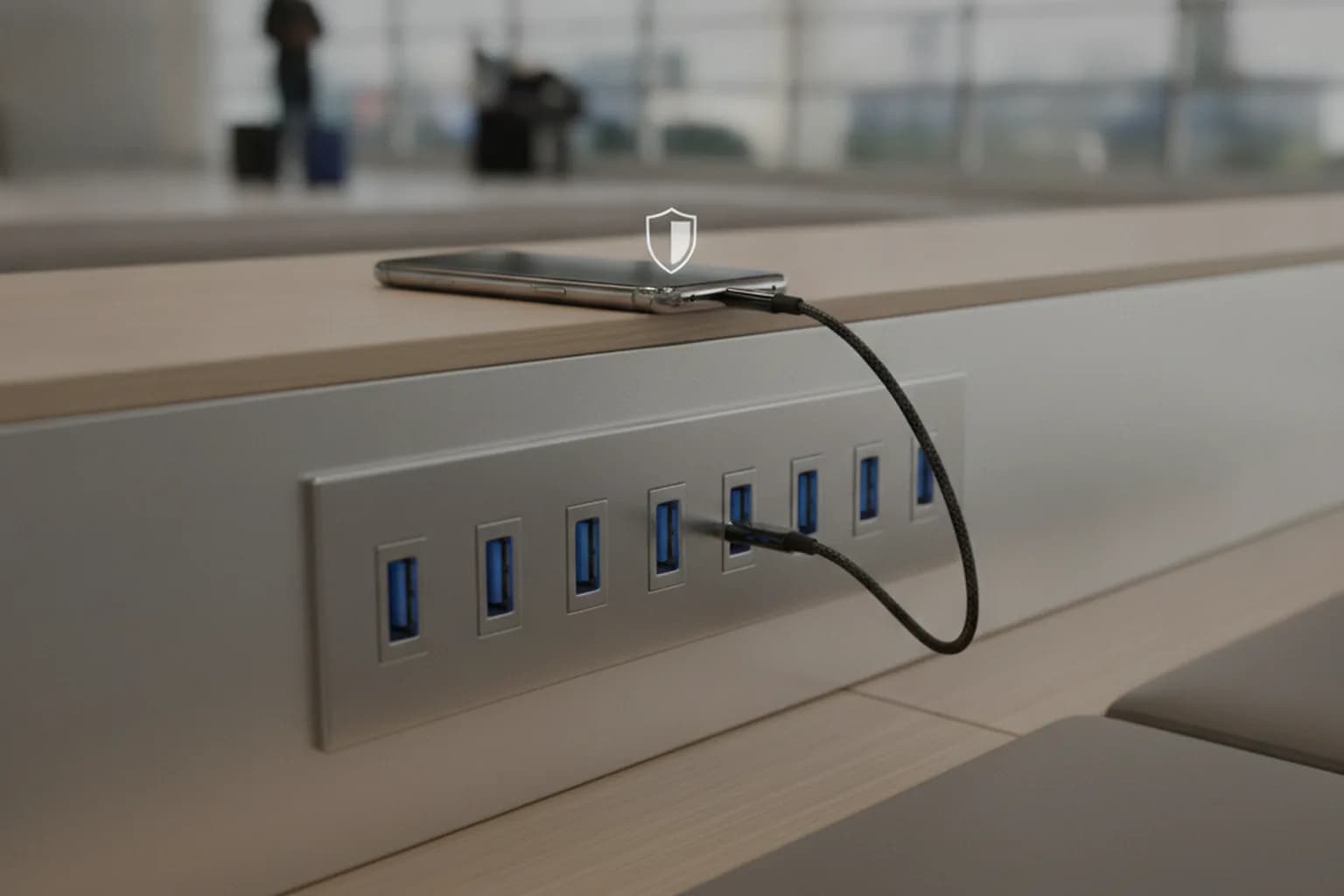
In short: Juice jacking is an attack through a public USB charger (at an airport, hotel, mall or train) where a port or cable you don't control tries not just to charge your phone but to reach your data or push malware onto it. There are no documented mass cases against ordinary travelers — the threat is targeted rather than widespread. But in 2025–2026 researchers demonstrated a working bypass of the built-in safeguards (the ChoiceJacking attack), so basic caution is justified. The most reliable defense is simple: charge from your own power bank or wall adapter, not from someone else's USB port.
What juice jacking actually is
A USB connector combines two jobs in one plug: delivering power and transferring data. When you plug a cable into your own charger, only the power line is used. But if the port or cable belongs to someone else and is wired not to a "dumb" adapter but to a hidden computer, that same connector can try to open a data connection.
The term juice jacking ("stealing the juice," where juice means the charge) describes exactly that scenario: you think you are just topping up the battery, while the device on the other end tries to read your phone or load something onto it over the same wires. The danger is not the electrical outlet itself but the untrusted endpoint you connect to through a data cable.
It helps to separate two cases up front. A normal wall outlet with your own adapter is safe: there is no device between you and the wall that can exchange data. Risk only appears where you plug your phone directly into a stranger's USB port or use a cable someone left behind.
Is the threat real in 2026?
This calls for honesty rather than fear. In all the years that agencies like the FBI and FCC and antivirus vendors have warned about juice jacking, no mass case has been publicly documented where ordinary travelers lost data specifically through an airport charger. Authorities periodically issue warnings, but that is prevention, not a response to a wave of real thefts.
That does not mean the topic is invented. The attack is technically possible and has been demonstrated in the lab. It mostly makes sense against specific targets — executives, officials, journalists — not against a random person in a boarding line. For the average user it is smarter to treat juice jacking as "unlikely, but cheap to defend against" rather than as a reason to panic at every outlet.
What genuinely changed by 2026 is research showing how to bypass the safeguards. An attack called ChoiceJacking demonstrated that a rogue charging station can "press" the trust confirmation on your phone itself by emulating a keyboard or mouse, defeating the "charge only or transfer data?" prompt. It is still academic work and vendors are shipping fixes, but it is exactly why you should not rely on that pop-up alone.
How the attack works: three scenarios
The single phrase juice jacking hides several different mechanics. Understanding how they differ helps you pick the right defense instead of buying everything "just in case."
- Data theft. The device on the other end tries to mount your phone as storage and copy photos, documents and backups. Modern iPhones and Android phones will not hand over files without an explicit confirmation, so "plug in and everything is stolen" does not work on current firmware.
- Malware install. A more dangerous variant: through a debug or media interface the station tries to push an app or profile onto the phone. Success depends heavily on whether the screen is unlocked and developer options are on.
- Bypassing the prompts (ChoiceJacking). A fresh class of attacks where the station pretends to be an input device and confirms the trust dialogs itself. This is what undermines the naive confidence of "but I never tapped allow."
To see the whole picture, match the scenarios against what actually stands in the attacker's way on a modern phone.
| Scenario | What the attacker needs | What blocks it on a current phone |
|---|---|---|
| Copying files | USB access to storage | "Trust this device?" and charge-only by default |
| Installing an app | Unlocked screen, USB debugging | Locked screen, developer mode off |
| ChoiceJacking | Input emulation for auto-confirm | OS updates, USB restricted mode, your own power source |
What your phone already protects
The good news is that in recent years both Apple and Google built several barriers into their systems that cover most everyday juice jacking scenarios. Knowing them saves you from buying extra gadgets where the built-in features are enough.
- USB Restricted Mode on iPhone. If the phone stays locked long enough, the port stops transferring data and only charges until you enter the passcode. That shuts down attempts to read a locked device.
- Accessory connection prompt. Modern iPhones ask permission when a wired accessory connects rather than silently opening a data channel.
- Mode choice on Android. Android connects in charge-only mode by default, and file transfer is enabled manually from the notification shade — the attacker needs your deliberate choice.
- Lock screen and biometrics. A locked phone exposes far fewer attack surfaces than an unlocked one.
These defenses share one weak spot: they assume you are the one tapping confirm. ChoiceJacking-style attacks target exactly that assumption, so it is safer never to reach the dialog at all and use a power source that simply cannot transfer data. If you have ever dealt with dubious apps that ask for excessive permissions, it is worth re-reading the breakdown of how to spot malicious apps — the same vigilance applies here.
What a VPN protects here, and what it doesn't
Two different layers of risk often get confused around public infrastructure, so let's be direct. A VPN works at the network layer: it encrypts traffic between your phone and the server and protects the data leaving for the internet over an untrusted network. Juice jacking happens at the physical USB layer — it is about the cable and the port, not Wi-Fi. So a VPN does not protect against juice jacking directly: only controlling your power source stops a malicious USB port.
But at an airport or hotel you usually face both threats at once: a questionable charger and an open Wi-Fi network. Against the second half a VPN is exactly the right tool — it closes off traffic interception on a shared network where you can be hit by a man-in-the-middle attack. How that works is covered in detail in the piece on MITM attacks and how to defend against them, and the limits of the technology itself are in the article on what a VPN protects against and what it doesn't.
The practical conclusion: carry both tools when you travel. Your own power bank closes the physical charging risk, and an active VPN closes the network risk of public Wi-Fi. If you often work from airports and cafes, it makes sense to set up network protection in advance — see LiMP VPN plans so encryption turns on automatically whenever you join an unfamiliar hotspot.
Checklist: how to charge safely away from home
A compact set of actions that brings juice jacking risk to nearly zero and needs no special knowledge:
- Carry your own power bank. It is the universal defense: no data-capable device sits between your phone and the outside world.
- Charge from a wall outlet with your own adapter instead of plugging straight into a public USB port.
- Use a USB data blocker — a small adapter that physically passes power and cuts the data pins.
- Don't unlock your phone while charging from an unknown source, and don't tap "Trust" or "Allow data transfer."
- Keep your operating system updated — updates are where fixes for new scenarios like ChoiceJacking arrive.
- Prefer wireless Qi charging when available: it has no data channel at all.
- Pick charge-only mode on Android and leave USB Restricted Mode on iPhone enabled.
- Turn on a VPN on shared networks — that closes the second, network half of public-infrastructure risk.
Frequently asked questions
Can I get infected charging with my own cable from my own outlet?
No. The threat comes from an untrusted endpoint on the other side of the wire. Your own adapter in a wall outlet does not exchange data with the phone, so that scenario is safe.
Does a power bank fully protect against juice jacking?
Yes. Charging from a power bank gives the phone power only, and there is no device in the chain that could read data. It is the simplest and most reliable option.
Are wireless Qi chargers dangerous in public places?
Wireless charging transfers energy by induction and has no data channel, so classic juice jacking through it is impossible. It is a good alternative to public cables.
Does a USB data blocker help?
Yes. The adapter physically leaves only the power pins and cuts the data lines, so the port on the other end cannot read or load anything.
Do I need to power off my phone while charging at an airport?
Not necessarily. On current iPhones and Android a locked screen is enough — the built-in defenses won't hand over data. Powering off just adds extra margin.
Will antivirus protect me from this attack?
Partly: a security app may catch malware being pushed, but it does not replace control over your power source. Not connecting to strange ports matters more.
Is data stolen if I plug my phone into someone's laptop just to charge?
The risk is the same as a public port: a laptop is a full computer. Pick charge-only mode and don't confirm trust for the device.